


Calendar 26-27 – Save the Date Template
Calendar 26-27 – Save the Date Template
How To Get Your Template
How To Get Your Template
How it works:
1) Add your template to the cart and checkout.
2) You’ll receive two emails—your order confirmation and a content email.
3) In the content email, click the “Get the Goods” button.
4) You’ll be taken to a landing page—click Download.
5) Canva will open with a message that a template has been shared with you.
6) Click Edit Template (no Pro account needed—our designs all work with the free version of Canva).
7) Save a copy: go to File > Make a Copy. This way, you can edit freely while always keeping the original safe in case you want to restart.
Couldn't load pickup availability

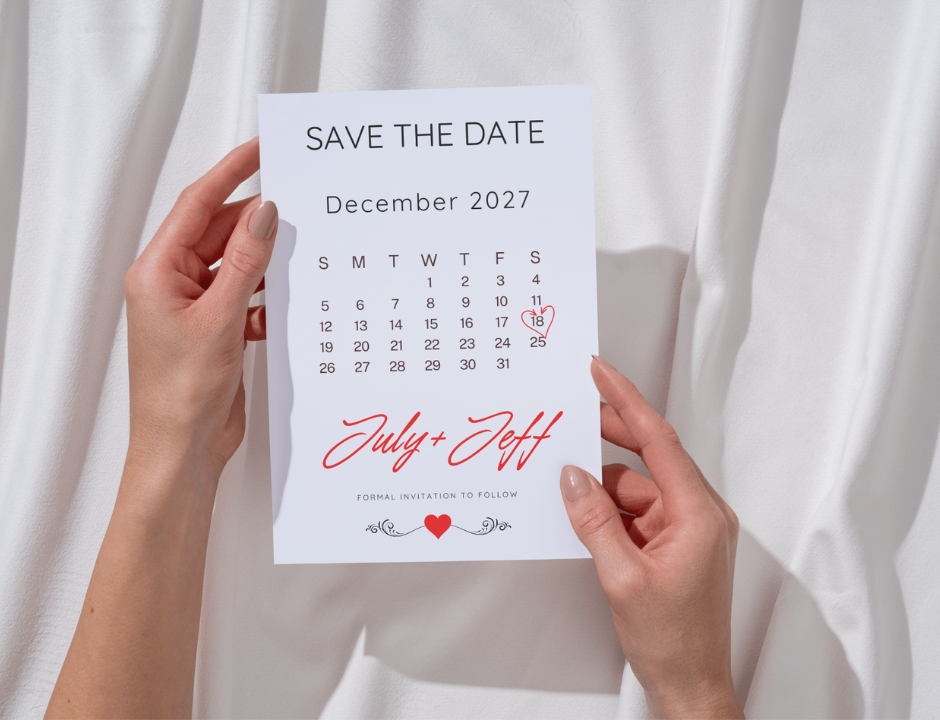
Calendar – Save the Date Template
2026 -2027
Make your “Save the Date” announcement extra personal with this modern calendar-style design! Simply open the Canva template, circle your wedding date, add your names, and you’re ready to send. ✨
Perfect for couples who love a clean, minimal aesthetic with a creative twist — this design features every month from 2026 to 2027, so you can easily find your special date and customize it to match your wedding style.
💌 Details
Canva editable template (easy + quick)
10.7cm x 13.9cm size (digital or print-ready)
✨ Because stationery should celebrate your love—not complicate it.
